When people ask me how to get stable output from Kling 3.0 API, I give the same answer every time:
The model quality matters, but your request structure matters just as much.
I have seen teams waste weeks because they treated Kling 3.0 documentation like optional reading. They jumped straight into integration, then blamed the model for unstable results that were actually caused by bad payload design.
This guide is the practical version of Kling 3.0 documentation I wish everyone started with.
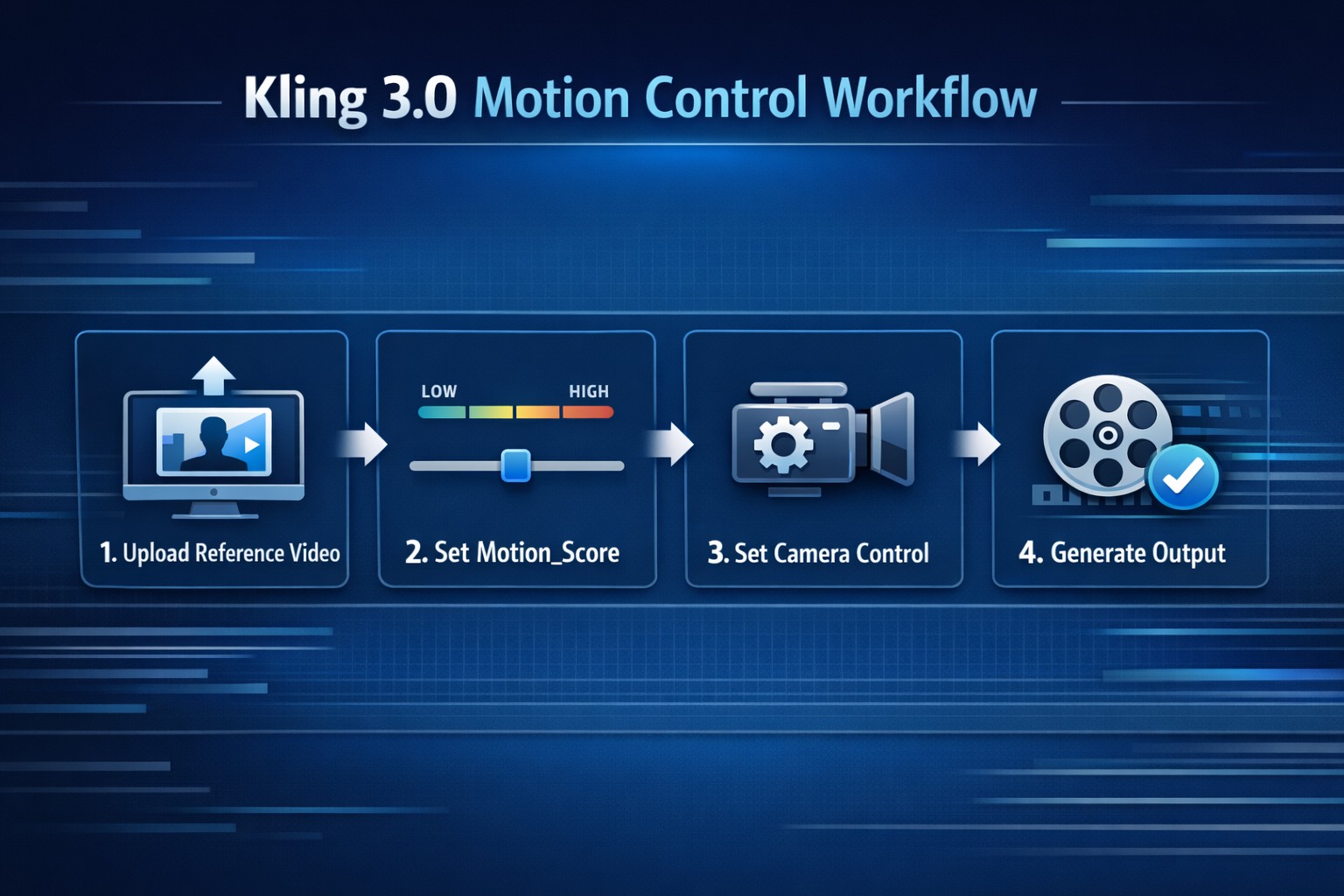
What This Guide Covers
If you are searching for “kling 3 0 documentation”, “kling 3.0 api”, or “kling 3.0 io integration,” this page focuses on the decisions that actually affect output quality:
- How to design payloads for motion control
- How to tune
motion_scorewithout random trial-and-error - How to represent camera intent in a way the model can follow
- How to run reproducible tests before production rollout
First Principle: Motion Is a Controlled Variable
Most unstable outputs come from this mistake:
Developers set prompt, style, camera, and motion values all at once, then make huge changes between retries.
That makes debugging impossible.
You should treat motion as a controlled variable.
My baseline flow:
- Freeze reference input
- Freeze core prompt skeleton
- Sweep
motion_scorein small increments - Evaluate with fixed rubric
- Lock winning range by use case
This single change improves output reliability dramatically.
Core API Payload Structure
Exact parameter names can vary by provider, but the integration logic is stable. Your request should include five layers.
Layer 1: Identity + Scene Prompt
Define subject, setting, and style in explicit language.
Layer 2: Motion Source
Provide reference clip (or equivalent control source) with clear movement signals.
Layer 3: Motion Controls
Set motion_score and related movement strength parameters.
Layer 4: Camera Controls
Specify tracking, push-in, pan, or locked frame behavior.
Layer 5: Safety / Quality Constraints
Add negative constraints to prevent common failure modes.
Pseudo-structure:
{
  "prompt": "subject + scene + camera intent + quality constraints",
  "reference_video": "https://.../source.mp4",
  "motion_score": 5,
  "camera_control": {
    "type": "tracking",
    "stability": "medium",
    "zoom": "none"
  },
  "negative_prompt": "avoid jitter, avoid warped limbs, avoid sudden zoom jumps",
  "duration": 8,
  "resolution": "1080p"
}
Do not copy this blindly. Adapt to your provider schema, then keep your internal request contract stable.
How I Tune motion_score (Without Burning Budget)
I use a three-pass method.
Pass 1: Baseline
Set low movement. Confirm identity and camera are stable.
Pass 2: Mid Range
Increase score moderately. Check continuity and anatomy.
Pass 3: Stress Test
Push toward high motion only if pass 1 and pass 2 are healthy.
Then I classify each run:
- Pass (ship-ready)
- Pass with edits
- Fail
Never jump directly from low to extreme high values in production.
Camera Control: The Most Underrated Factor
Most teams over-focus on prompt adjectives and under-focus on camera instruction quality.
But camera behavior is what determines whether your clip feels intentional or accidental.
I recommend writing camera control in plain, testable language:
locked frameslow push-infront-left trackinggentle pan right
Ambiguous camera wording leads to unstable movement interpretation.
Common API Integration Mistakes
1) No Reference Quality Gate
Problem: low-quality input clips poison output consistency.
Fix: add pre-validation rules for reference readability, pacing consistency, and subject clarity.
2) Changing Multiple Variables Per Retry
Problem: impossible to isolate cause/effect.
Fix: enforce single-variable experiment logic in tooling.
3) Missing Result Logging
Problem: teams cannot reuse winning combinations.
Fix: store prompt hash, reference ID, motion_score, camera settings, and quality verdict for each run.
4) No Use-Case Presets
Problem: every project starts from zero.
Fix: create presets by scenario (ad, dance, product, narrative).
My Production Test Rubric
Every generated clip gets scored on three hard checks:
- Temporal continuity
- Subject integrity
- Camera intent match
If one check fails, the clip is not considered usable.
This prevents teams from shipping visually flashy but structurally weak output.
Rollout Plan for Teams
Stage 1: Local Validation
- Build two to three reference sets
- Build one standardized prompt skeleton
- Run score sweeps and log outcomes
Stage 2: Shared Presets
- Define approved score ranges per scenario
- Define camera templates
- Define failover settings
Stage 3: API Automation
- Wrap provider endpoint with internal schema
- Add retry guards
- Add quality scoring pipeline
Stage 4: Ongoing Optimization
- Track usable rate weekly
- Track cost per usable clip
- Retire low-performing preset combinations
How This Connects to Pricing and Model Selection
Documentation quality is directly tied to cost.
If your API workflow is chaotic, even a cheap plan becomes expensive.
If your API workflow is structured, a higher-tier plan can become more profitable because usable rate goes up.
For budget decisions, read Kling 3.0 Pricing: Free Plan, Pro Cost, API Credits.
For model selection tradeoffs, read Kling 3.0 vs Omni vs Higgsfield.
For creative workflow setup, read How to Use Kling 3.0 Motion Control.
FAQ-Style Quick Answers
Is there one perfect motion_score value?
No. The right range depends on reference quality, prompt structure, and use case.
Should I maximize motion_score for better quality?
Not by default. High values can increase drift and distortion if constraints are weak.
Does camera control matter if I already use reference video?
Yes. Reference gives movement signal; camera instructions define cinematic intent.
Is API integration only for large teams?
No. Solo creators can benefit if they produce at recurring volume and want repeatable templates.
CI-Friendly Validation Checklist
If you want reliable API output at scale, add a lightweight validation checklist to your pipeline.
I recommend running this on every preset update:
- Schema validation pass (required fields present)
- Reference quality pass (duration, clarity, and motion readability checks)
- Three-score sweep pass (
low,mid,mid-high) - Temporal consistency pass against fixed rubric
- Regression pass versus last approved preset version
Why this matters: most regressions are not obvious in the first sample clip. They show up when a team reuses the preset across new prompts and new references. A minimal CI gate catches drift early, protects your usable-rate baseline, and prevents expensive “it worked last week” failures in client delivery windows. It also improves long-term maintainability.
The Bottom Line
Kling 3.0 documentation is not a formality. It is your quality and cost control system.
If you want reliable API output:
- Standardize payload structure
- Tune
motion_scorewith controlled sweeps - Write explicit camera intent
- Log outcomes and template winners
Do this once, and your workflow shifts from random generation to repeatable production.
If you want to test these principles immediately, run your first controlled batch in Kling 3.0 Motion Control and score every output with a fixed rubric.